
Common Honda Airbag ECU Faults: No Communication & Repair Solutions
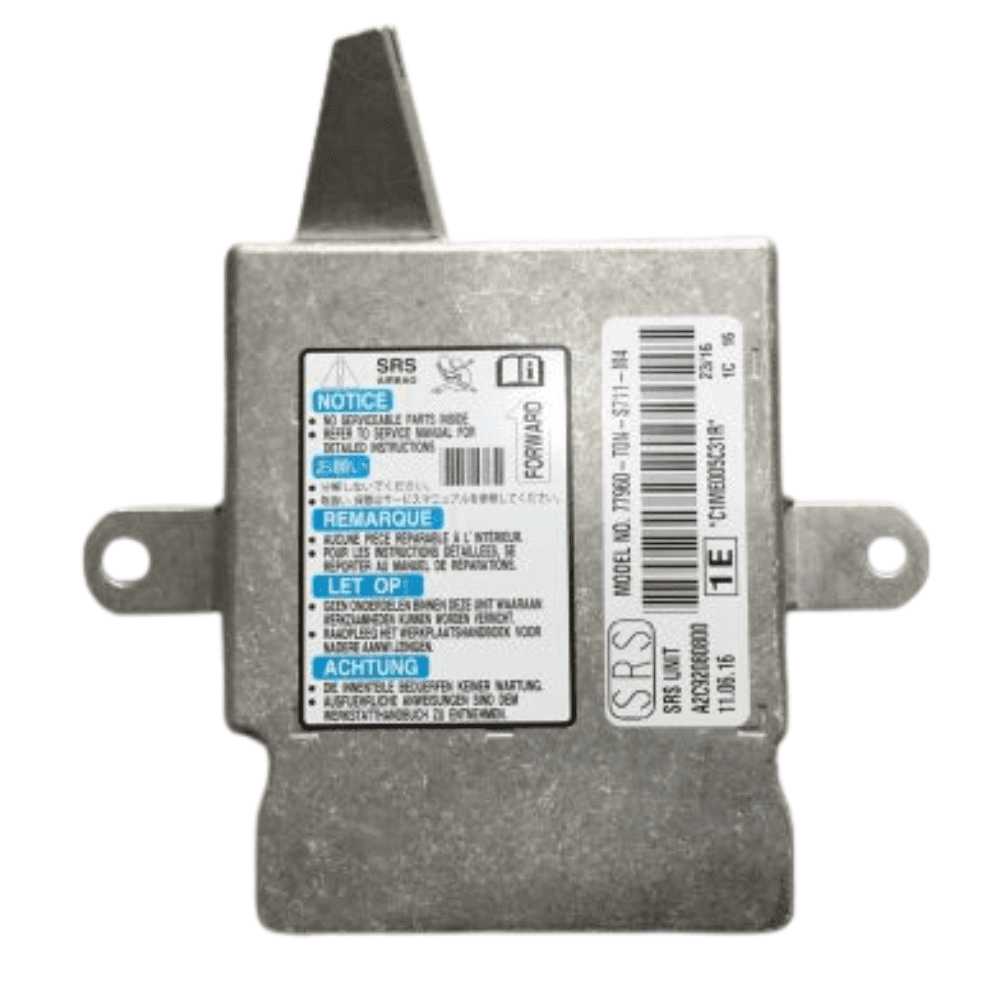
Airbag control units (SRS ECUs) are vital to a vehicle’s safety system, ensuring airbags deploy correctly in the event of a collision. In many Honda models, particularly the CR-V, a common issue arises where the ECU loses communication with diagnostic tools, preventing fault code access or system resets. In this post, we’ll explore the typical causes of this fault and how specialist repair services can restore full function without the need for costly replacements.
Common Faults:
- The airbag warning light remains illuminated, or fails to illuminate at all
- No communication with the airbag module via diagnostic equipment
- SRS warning light is on, but no crash data or fault codes are stored
- Dashboard displays warning messages related to the airbag or SRS system
- Unable to clear fault codes or reset the airbag system using standard tools
Common Faults in Honda Airbag ECU Modules
The airbag control unit (SRS ECU) is one of the most important safety components in your Honda. It monitors impact sensors and controls airbag deployment in the event of a collision. In models like the Honda CR-V, certain recurring faults can affect the airbag module — often without any prior warning.
Over time, these units can develop serious issues that prevent them from functioning properly, putting the safety of both driver and passengers at risk.
1. No Communication with Diagnostic Tools
A common issue we see is a complete loss of communication between the airbag ECU and diagnostic equipment. This prevents fault codes from being read or cleared and makes it impossible to reset the system. Despite this, the airbag warning light often remains illuminated on the dashboard — a sign that something serious is wrong.
2. Airbag Warning Light Always On (or Off)
In some cases, the airbag light stays on permanently — or fails to light up at all during ignition. Both are clear indicators that the airbag system is not operating correctly, even if no fault codes appear during a standard diagnostic check.
3. No Fault Codes Stored, but SRS Light Is On
We often see cases where the warning light is on, yet no crash data or fault codes are stored. This can make diagnosis difficult and lead to wasted time replacing unrelated components. It usually points to an internal fault within the module itself.
4. Dash Warnings Related to Airbags
You may also see general dashboard alerts such as “SRS system fault” or “airbag error.” These warnings can appear even when there has been no crash, and usually indicate the ECU has entered a locked state or failed a self-check.
5. Unable to Reset or Clear Codes
In some cases, the module may allow you to connect a scan tool — but any attempt to clear fault codes or reset the ECU fails. This is a sign the unit is no longer functioning correctly and requires professional intervention.
Our Honda Airbag ECU Repair Service
At Essex Recons, we specialise in repairing Honda airbag modules with these exact faults. Our expert technicians use specialist tools and testing equipment to diagnose and resolve the problem — no guesswork involved.
We’ll return your ECU fully working, with all crash data cleared and no further warning lights.
Whether your Honda CR-V has an airbag warning light that won’t go away, or your diagnostic tool can’t connect to the SRS system at all, we can help.
Part Numbers
77960-TV0-F911-M4, 77960-TV0-G911-M4, 77960-T1G-B930-M4, 77960-TV0-G920-M4, 77960-TV0-G010-M4, 77960-TV0-E911-M4, 77960-TV0-E920-M4, 77960-TV0-E020-M4, 77960-TV0-G020-M4, 77960-T1G-E930-M4, 77960-T1G-S920-M4, 77960-T1G-G920-M4, 77960-TV0-G910-M4, 77960-T1G-Y920-M4, 77960-T1G-E940-M4, 77960-TV0-F010-M4, 77960-T1G-G930-M4, 77960-T1G-R930-M4, 77960-T1G-R920-M4, 77960-T1G-S930-M4, 77960-T1G-G940-M4, 77960-T1G-E920-M4, 77960-TV0-S911-M4, 77960-TV0-E010-M4
